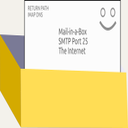
Mail server software is what you run yourself when a hosted mailbox no longer suffices: SMTP daemon, IMAP store, webmail and spam filter.
This guide orders thirteen options by setup hours, what support, archiving and clustering add to the bill, how mailboxes can be moved out, and whether one vendor or one project covers the whole stack.
Vendors can pay for more visibility on this website, for example a higher place in a ranking or more room on a page. Commercial relationships can also affect which products we feature and how prominently. Every vendor link is marked the same, whatever the arrangement behind it. How that works.
In short
What mail server software does
Mail server software receives, filters, stores and delivers e-mail for your own domains, usually combining SMTP, IMAP or POP3, spam protection and an admin panel on machines you operate.
Each mail server tool was put through the same five questions, in sequence: how hard is setup, what does it really cost, how does data come back out, can you leave, and who is it for. Challengers hold places 1 to 3 wherever the category has them. Established brands begin at place 4. We explain on how we work why the tests are these five and why no product receives a score.
All-in-one mail and collaboration server with a published per-mailbox ladder
Ranked #1 of 13 in Best Mail Server Software in 2026.
Free tierPublished pricingEurope
The pricing page ladders Enterprise from 2.00 EUR per mailbox per year for 25 to 499 mailboxes down to 0.89 EUR for 50,000 to 99,999, applied per range of mailboxes, and sends 100,000 and beyond to a quote.
Community has no mailbox limit and the Enterprise features can be tried for 30 days. Servers run on Linux, macOS, Windows or Docker, as one node or a cluster. A managed option is mentioned but not detailed.
What stands out
JMAP and IMAP
AGPL-3.0 core
Tiered per mailbox
Where it costs you
Enterprise features sit under a separate licence from the AGPL-3.0 code, so the edition boundary needs reading before purchase.
Enterprise tiers begin at 25 mailboxes and the unit price only falls in steps, with 100,000 and beyond left to a quote.
Right for
Organisations wanting one server for mail, calendars and contacts with a priced upgrade path
Wrong for
Buyers who want a vendor to operate the servers for them
United KingdomFree Community edition without a mailbox cap; Enterprise is published per mailbox per year in falling tiers, with a 30-day trial of its features
Docker-image mail suite with webmail and an admin interface
Ranked #2 of 13 in Best Mail Server Software in 2026.
Open sourceSelf-hostablePricing on requestElsewhere
Mailu describes itself as simple yet full-featured, and the stated scope matches: IMAP, SMTP, submission, webmail and an admin interface, all supplied as Docker images.
Deployment guides exist for Docker Compose and for Kubernetes, which gives a cluster-minded team a route that single-host products lack. Licensing is MIT. Everything beyond that, including who answers at night, depends on volunteers in the chat room.
What stands out
Docker Compose
Kubernetes docs
MIT licence
Where it costs you
The copyright line credits only Mailu authors, so no company or country can be named as the supplier.
Support is limited to the repository and a Matrix chat room, with no paid plan on the site.
Right for
Container-minded administrators who want webmail and a panel in one deployment
Wrong for
Organisations that need a contract and an escalation contact
Not stated by the vendorOpen source released as MIT, with neither prices nor paid support plans listed
Dockerised mail suite sold with a one-time Stay Awesome Licence
Ranked #3 of 13 in Best Mail Server Software in 2026.
Pricing on requestElsewhere
Here the commercial side is a small add-on rather than the whole proposition. The Infrastructure Company GmbH has published the suite since 2016 under GPL-3.0 and sells the Stay Awesome Licence as a single payment, alongside paid support and GitHub sponsorship.
The site gives no currency or amounts for any of them. In a field of volunteer projects, this makes mailcow the container option where you can at least pay someone.
What stands out
Docker Compose
GPL-3.0
One-time licence
Where it costs you
Prices for the licence and for support are not shown on the pages read, so the cost cannot be budgeted from the site.
Installation is built around Docker Compose, which leaves hosts that avoid containers outside its design.
Right for
Administrators wanting a container suite with an optional paid licence behind it
Wrong for
Buyers needing written prices before they contact anyone
Not stated by the vendorGPL-3.0 repository; buyers can add a one-time Stay Awesome Licence, paid support or sponsorship, with no figures shown
Self-hosted mail platform with webmail and itemised service prices
Ranked #4 of 13 in Best Mail Server Software in 2026.
Open sourceSelf-hostablePublished pricingElsewhere
The unlimited count of domains, mailboxes and aliases means growth never changes the licence, which is ISC. What changes is the service bill, and the site is concrete about that: EUR 150 and up for installation or upgrade, EUR 120 and up for a specific problem.
Maintenance for a year is the missing number. Webmail, calendars, address books, filter rules and an auto-responder come in the package.
What stands out
ISC licence
Webmail included
Paid installation
Where it costs you
One-year maintenance is listed as see prices with no number, so the recurring cost stays unknown.
The footer credits NGYNLABS only, and no country is stated.
Right for
Small hosting setups wanting a priced installer and unlimited domains and aliases
Wrong for
Buyers who need an annual support price in writing
Not stated by the vendorOpen source under ISC; published prices for installation, upgrades and one-off assistance, while one-year maintenance shows no figure
Turns a fresh Ubuntu server into a working mailbox host
Ranked #5 of 13 in Best Mail Server Software in 2026.
Pricing on requestElsewhere
Everything arrives on a single dedicated machine: webmail, IMAP and SMTP, contact and calendar sync, spam protection and a web control panel.
The project began in 2013, names Joshua Tauberer as primary maintainer and puts the code in the public domain through CC0. Its requirements are blunt. Start from a new Ubuntu 22.04 x64 server; containers and altered images are outside what it supports.
What stands out
CC0 release
Ubuntu 22.04
Control panel
Where it costs you
It needs a fresh Ubuntu 22.04 x64 server, so it cannot share a machine with other workloads.
Containers and modified images are unsupported, and maintainers work in limited free time.
Right for
Individuals and small groups wanting one dedicated server and a control panel
Wrong for
Teams that must run mail inside containers or on shared hosts
Not stated by the vendorReleased into the public domain under CC0; the site shows no prices or donation amounts
File-configured SMTP and IMAP stack shipped as a Docker image
Ranked #6 of 13 in Best Mail Server Software in 2026.
Open sourcePricing on requestElsewhere
Settings come from files and environment variables, not a SQL database, which makes the setup reviewable like any other repository. The image is published on DockerHub and GitHub Container Registry, and Docker Compose examples show the starting point.
Described coverage is SMTP, IMAP, LDAP, anti-spam and anti-virus under the MIT licence. The maintainer is an organisation, named without people, and the site states no price or country.
What stands out
Docker image
File-based config
MIT licence
Where it costs you
No company, individual maintainer or support offer is named, so accountability stays with the GitHub organisation.
Configuration lives in files and environment variables, with no SQL-backed panel described.
Right for
Teams who keep infrastructure in Git and want mail as one container
Wrong for
Staff who prefer clicking through an admin panel
Not stated by the vendorOpen source (MIT); the maintainers state no prices or paid plans
Mail transfer agent by Wietse Venema for UNIX-like systems
Ranked #7 of 13 in Best Mail Server Software in 2026.
Pricing on requestElsewhere
Postfix concentrates on one job. The home page presents an MTA by Wietse Venema, who continues to maintain it after eight years at Google.
Source builds are documented for AIX, BSD, HP-UX, Linux, MacOS X and Solaris, and operating-system and appliance vendors ship ready-to-run copies. There are no plans or trial. A buyer gets a dependable component rather than a product, and must supply the rest.
What stands out
MTA only
UNIX-like systems
Source build
Where it costs you
The licence page returned 404, so the licence could not be confirmed from the vendor site.
It is described as an MTA, so mailbox access and webmail have to be added from elsewhere.
Right for
Administrators building a custom stack on a UNIX-like system they already manage
Wrong for
Anyone expecting mailboxes, webmail and a panel out of the box
Not stated by the vendorSource distribution with no price list or trial on the site; ready-to-run builds come from OS and appliance vendors
IMAP and POP3 mailbox server with a separate commercial Pro edition
Ranked #8 of 13 in Best Mail Server Software in 2026.
Pricing on requestElsewhere
Dovecot has been released since 2002 and is described as an open-source IMAP and POP3 server. The Community Edition carries LGPLv2.1 with a few exceptions, and the site reports a share above 75% of mail servers, citing openemailsurvey.org.
A separate Dovecot Pro line promises support and high availability. Open-Xchange Oy appears in the copyright line. Unlike all-in-one rivals it leaves outbound mail to another program.
What stands out
IMAP and POP3
LGPLv2.1
Dovecot Pro
Where it costs you
Dovecot Pro shows no price or plan tiers, so supported high-availability mail cannot be costed from the site.
The 75% usage claim rests on a third-party survey cited by the vendor.
Right for
Stack builders needing a mailbox store to pair with their own SMTP server
Wrong for
Buyers wanting one product that also sends and filters mail
Not stated by the vendorCommunity Edition under LGPLv2.1 with a few exceptions; Dovecot Pro is a commercial offering whose plans and prices are not shown
Windows and Linux mail server for ISPs, hosts and MSPs
Ranked #9 of 13 in Best Mail Server Software in 2026.
Pricing on requestElsewhere
The edition ladder follows the customer type: a personal and lab version, Business, MSP, and a carrier-class ISP edition with clustering and a Kubernetes-based cloud-native option.
Installation can sit on bare metal, virtual machines or cloud-native infrastructure, with Docker pages listed. The evaluation lasts 60 days and includes technical support, while education and government programmes are priced on request. Axigen runs on Windows and Linux.
What stands out
White-label email
ISP clustering
60-day evaluation
Where it costs you
The pages read show no exact prices, so edition cost is unknown until the buy page is opened.
No parent company, address or headquarters country is named despite the Made in the EU wording.
Right for
Hosting providers and MSPs reselling branded mailboxes to their own customers
Wrong for
Single-office buyers wanting one simple flat price list
Not stated by the vendorBusiness, MSP and ISP editions plus a personal and lab edition; 60-day evaluation with support; prices not on the pages read
Collaboration platform with a fixed small-team package and a per-user plan
Ranked #10 of 13 in Best Mail Server Software in 2026.
Self-hostablePublished pricingElsewhere
Two plans are priced openly: USD 23 per month fixed for up to 10 users, and 3.50 EUR per user per month up to 500 users, each with 200GB email storage per user and 1TB of file storage.
Above 500 users the price is custom. A 30-day trial gives full access. Hosting is either managed by IceWarp or on your own servers, and the document editing and conferencing come in the same platform.
What stands out
Published plans
Managed or self-hosted
Made in the EU claim
Where it costs you
Mail is one part of a collaboration suite, so a buyer wanting only an SMTP and IMAP server pays for more.
No registered address or headquarters country is stated, though the site says Made in the EU.
Right for
Organisations of 10 to 500 people wanting mail plus chat and files
Wrong for
Teams that only need a lean SMTP and IMAP server
Not stated by the vendorPublished: a fixed monthly Startup Package up to 10 users, a per-user Business Plan up to 500 users, custom Enterprise above that; 30-day trial
Email server positioned as a self-managed Exchange alternative
Ranked #11 of 13 in Best Mail Server Software in 2026.
Self-hostablePricing on requestElsewhere
Three licence types cover single servers, redundant or backup servers and air-gapped servers, which is a rare option on this list. Add-ons are sold apart: SecurityGateway for Email, MailStore for archiving, AntiVirus and AntiSpam, Connector for Outlook and ActiveSync.
A 30-day trial is offered. Hosting comes on-premise, as a managed Hosted service, or through MSP and ISP SaaS licensing, and the site claims use in 140+ countries.
What stands out
Air-gapped licence
Outlook connector
Hosted or on-prem
Where it costs you
Archiving, filtering and Outlook connector products are separate items, so the real price exceeds the base licence.
No prices, street address or headquarters country appear on the pages read.
Right for
Organisations replacing Exchange that need an air-gapped or redundant licence option
Wrong for
Buyers who want all-in-one pricing visible in advance
Not stated by the vendorLicences by Single Server, Redundant or Backup Server and Air-Gapped Server; 30-day trial; prices absent from the site
Email and collaboration platform with Standard and Professional plans
Ranked #12 of 13 in Best Mail Server Software in 2026.
Open sourcePricing on requestElsewhere
The support ladder is as layered as the plans: Premier covers severity-1 issues around the clock, Standard covers business hours, and Elite is an add-on to Premier.
Plans split between Standard and Professional, where Professional adds Outlook for Windows, mobile push and archiving with discovery. Deployment can be on-premises, a private cloud, regional data centres or through local partners. A buyer should plan around a custom quote.
What stands out
Two plans
Archiving tier
Partner hosting
Where it costs you
Outlook for Windows support, ActiveSync push and archiving are Professional features, so the Standard plan lacks them.
Clustering and large-scale sync need a commercial licence and the site asks for a custom quote.
Right for
Organisations wanting a full collaboration suite on on-premises or partner hosting
Wrong for
Small teams wanting a plain mail server with published prices
Not stated by the vendorStandard and Professional plans, quoted per organisation; core server is open source, clustering needs a commercial licence
GFI KerioConnect mail and groupware server for Windows, macOS and Linux
Ranked #13 of 13 in Best Mail Server Software in 2026.
Self-hostablePricing on requestNorth America
Features named on the page are shared calendars, contacts, tasks, notes, shared folders and instant messaging beside mail, with encryption, anti-spam, antivirus and automated backups.
It runs on Windows, macOS and Linux, on-premises or in partner-hosted clouds. The AI features are said to use local models. A trial is available. Licensing is described only as flexible for MSPs, and the product belongs to the GFI group.
What stands out
Groupware included
MSP licensing
Local AI models
Where it costs you
The site shows no prices or named editions, so a buyer cannot compare cost before contacting a seller.
The former gfi.com/kerioconnect address redirects to gfi.ai, so older links and bookmarks need updating.
Right for
MSPs and offices wanting mail, calendars and notes with partner-hosted options
Wrong for
Buyers who want prices published on the vendor site
United StatesTrial offered; no prices or named editions on the site, with flexible MSP licensing mentioned
Mail server software receives, filters, stores and delivers e-mail for your own domains, usually combining SMTP, IMAP or POP3, spam protection and an admin panel on machines you operate. Differences that change the outcome seldom sit in the features. Here is the sequence we would follow.
01
Work out how much a sales call is worth to you
Prices are public at 3 products (Stalwart, Modoboa, IceWarp) and on request at the remaining 10, so budget time for quotes if your favourite is in that second group.
02
Look at where the vendor sits
3 regions are represented (Elsewhere 11, North America 1, Europe 1). A vendor outside your own legal area is not a problem as such, but it changes who can compel it to hand over data.
03
Consider whether you want the source
4 of these are open source: Mailu, Modoboa, docker-mailserver, Zimbra. Hosting one yourself trades a subscription for maintenance.
Mail server software: stack or single daemon, Postfix with Dovecot against Stalwart
Decide first whether you want a stack or a single program. Postfix is a mail transfer agent and Dovecot serves IMAP and POP3 mailboxes, so a working system needs both, plus webmail, filtering and an admin panel from elsewhere. Stalwart and Mailu ship those parts together, which leaves fewer configuration files to reconcile.
The trade is choice: a bundled daemon fixes your storage, your filter and your upgrade path, while a stack lets you replace one piece without moving mailboxes. Count the components you would patch and note who patches each. A bundle with one maintainer group gives a single place to look when delivery breaks, whereas a stack gives several. Pick the shape your team can debug at midnight.
List which of SMTP, IMAP, webmail and admin panel each candidate includes
Name the person who patches every component in the stack
Test whether the filter or mailbox store could be swapped later
Container chores on Mailu, docker-mailserver and Mail-in-a-Box
Containers solve installation and create new chores. Mailu and docker-mailserver run as Docker images, Mailcow is built on Docker Compose, and Mail-in-a-Box refuses containers outright, demanding a fresh Ubuntu 22.04 server with no modified images. That difference matters on day two: a container product is upgraded by pulling images and reading release notes, while Mail-in-a-Box expects the whole machine to belong to it.
docker-mailserver keeps settings in files rather than a SQL database, which suits version control, whereas Mailu offers an admin interface for colleagues who do not edit files. Choose according to who touches the system after the first week, and write the upgrade routine down before the first mailbox goes live.
Confirm the host matches the supported operating system or container runtime
Decide whether settings live in files or in an admin interface
Write the upgrade routine before creating the first mailbox
Reading the edition line at Stalwart, Dovecot, Zimbra and Axigen
Read the licence line of each edition before building on it. Stalwart's repository carries AGPL-3.0 and the Stalwart Enterprise License v2, Dovecot separates a Community Edition under LGPLv2.1 from the commercial Dovecot Pro, and Zimbra says the core server is open source while high-availability clustering and large-scale sync need a commercial licence.
Axigen sells Business, MSP and ISP editions beside a personal and lab edition. In each case the feature you need later may sit in the paid edition, so find the boundary on day one rather than during an outage. Postfix's licence page returned an error when we checked, which is worth confirming with your own legal reviewer before you standardise on it across every domain.
Locate the feature boundary between community and paid editions
Check which licence covers the code you plan to modify
Confirm clustering and large-scale sync sit in the edition you buy
Where the bill grows: Modoboa services, MDaemon add-ons, IceWarp seats
Software that costs nothing to download still produces a bill. Modoboa prints installation from EUR 150 and issue assistance from EUR 120, Mailcow offers a one-time Stay Awesome Licence and support without figures, and MDaemon, IceWarp and Kerio Connect all begin with a trial before any commitment. MDaemon's total grows with SecurityGateway, MailStore archiving and Outlook or ActiveSync add-ons.
IceWarp publishes a fixed monthly package for up to 10 users and a per-user plan up to 500, so a ninety-day budget is easy to draw up. Ask every vendor for the full module list you need, including archiving, and add your own hour estimate for migration, monitoring and the weekly patch routine, since those hours usually outweigh a small licence fee.
Ask for the full module list including archiving and filtering
Add your own hours for migration and monitoring to the licence cost
Request the support price in writing where the site shows none
What goes wrong most often when buying mail server software
Treating Postfix as a finished mail server when its home page describes only a transfer agent, leaving IMAP, webmail and spam filtering to other products.
Installing Mail-in-a-Box on a shared host or inside a container, although the project asks for a fresh Ubuntu 22.04 machine without modified images.
Reading Dovecot's claim of powering over 75% of mail servers as proof of supported high availability, which belongs to the commercial Dovecot Pro.
Starting a Zimbra rollout on the Standard plan and discovering later that Outlook for Windows support, ActiveSync push and archiving belong to Professional.
07
Frequently asked questions
8 answers
What is the best mail server software in 2026?
Our ranking of 13 puts Stalwart first. Stalwart Labs, shown at an address in London, ships one server covering JMAP, IMAP, POP3, SMTP, CalDAV, CardDAV and WebDAV with spam and phishing protection built in.
It opens the ranking because a single vendor stands behind one product and prints its Enterprise tiers. The catch is a split licence: AGPL-3.0 and the Stalwart Enterprise License v2 sit side by side, so check which edition holds the features you need.
Which mail server tools publish their pricing?
Published pricing exists for 3 products on this page:
Stalwart: Free Community edition without a mailbox cap; Enterprise is published per mailbox per year in falling tiers, with a 30-day trial of its features.
Modoboa: Open source under ISC; published prices for installation, upgrades and one-off assistance, while one-year maintenance shows no figure.
IceWarp: Published: a fixed monthly Startup Package up to 10 users, a per-user Business Plan up to 500 users, custom Enterprise above that; 30-day trial.
The other 10 quote per organisation.
Is there a free mail server tool?
Stalwart have a free plan or free self-hosted edition.
Where are these mail server software vendors established?
Vendor countries on this page, Elsewhere 11, North America 1, Europe 1:
Stalwart: United Kingdom.
Mailu: Not stated by the vendor.
Mailcow: Not stated by the vendor.
Modoboa: Not stated by the vendor.
Mail-in-a-Box: Not stated by the vendor.
docker-mailserver: Not stated by the vendor.
Postfix: Not stated by the vendor.
Dovecot: Not stated by the vendor.
Axigen: Not stated by the vendor.
IceWarp: Not stated by the vendor.
MDaemon: Not stated by the vendor.
Zimbra: Not stated by the vendor.
Kerio Connect: United States.
Which mail server tools are open source?
Mailu, Modoboa, docker-mailserver, Zimbra.
Which mail server tools can you host yourself?
Mailu, Modoboa, IceWarp, MDaemon, Kerio Connect. The other 8 are hosted by the vendor only.
What should you use instead of Stalwart?
Mailu and Mailcow are the next two on this page. Mailu is for Container-minded administrators who want webmail and a panel in one deployment; Mailcow is for Administrators wanting a container suite with an optional paid licence behind it.
Who should not buy Stalwart?
Buyers who want a vendor to operate the servers for them. Enterprise features sit under a separate licence from the AGPL-3.0 code, so the edition boundary needs reading before purchase..
Sell mail server software and missing from the ranking? Send us a line on what the product does and who buys it. Whether it is added is our decision, though commercial arrangements can also affect it, and the terms of a listing sit on the software advice page.